Using Dog and Cat PNG Images in Real-World Creative and Business Workflows
If you have ever searched for a clean image of a dog or cat to drop into a design, a website mockup, a social media post, or even a printed flyer, you already know the value of a good PNG. Dog and Cat PNG files are transparent-background images that let you place animal subjects into any layout without awkward white boxes or messy clipping paths. What makes them indispensable is not just the image quality but how they fit into the broader process of creating content, building brands, and communicating ideas. Understanding where these assets belong in your workflow, how to prepare them, and how to keep them organized makes the difference between a smooth project and a frustrating hunt for the right file.
What Dog and Cat PNG Files Actually Do for Your Process
A PNG file with transparency gives you a subject that sits on its own, ready to layer over backgrounds, textures, gradients, or other images. In practice, this means you can take a single dog or cat PNG and use it across dozens of contexts without re-editing. This is not about having a library of cute pictures. It is about having a flexible asset that can be dropped into a banner ad, a presentation slide, an email header, a product label, or a blog illustration in seconds.
The real process benefit is elimination of repetitive work. Instead of cutting out a background in Photoshop every time you need an animal image, you pull a pre-prepared PNG from your asset library and move on to layout, typography, and message. That shift from manual editing to assembly is where efficiency gains happen.
Where Dog and Cat PNG Fits in a Project Timeline
Depending on the type of work you do, these images serve different functions at different stages. For a designer or marketer, the PNG is often part of the execution phase. You have already chosen your concept, written your copy, and selected a color palette. Now you need visuals that match. Dropping in a well-organized PNG lets you test compositions quickly, swap out subjects, and iterate without redoing mask work.
For a blogger or content creator, the PNG often appears during the publishing and formatting stage. You write the article, then search for a supporting image. A transparent PNG that you can place over a custom background or within a text block gives you more control than a standard JPEG with a solid background. You can align the animal with your layout rather than fighting the image frame.
For educators and trainers, the PNG works best during preparation. Building a slide deck or a handout is faster when you have a folder of clean images you can insert directly into your document or presentation software. No cropping, no background removal, no distraction.
Interaction with Tools, Platforms, and Other Assets
Dog and Cat PNG files interact with your existing tool stack in predictable ways if you plan ahead. Most design platforms, including Canva, Adobe Express, Figma, and Sketch, accept PNG transparency natively. You drag the file in and it lands as a layer with no background. In Canva, for example, you can search for dog and cat PNG elements from stock libraries, but having your own curated set means you are not limited to what the platform offers.
In web projects, transparent PNGs are standard. They work in CSS, HTML, and across content management systems. If you run a WordPress site, you can add a dog or cat PNG to a page builder column and the transparency will hold. The only mild compatibility issue is with older email clients that mis-handle PNG transparency. For email marketing, you may want to test your renders first or save a fallback JPEG version.
The real interaction point is with your other assets. A dog PNG over a patterned background or a cat PNG placed inside a geometric frame works only if the resolution and file size match your output medium. A 500-pixel PNG intended for web use will pixelate in print. A print-ready 300 DPI PNG will slow down a web page. Part of the workflow is ensuring your PNG library includes both web-optimized and print-quality versions.
Build a Sorted Asset Library
The single biggest time saver is a well-named folder structure. Do not dump all dog and cat PNG files into one flat folder. Create subfolders by breed, by posture, or by use case. For example: dog_standing, dog_sitting, cat_playing, cat_sleeping. If you work on pet-related content frequently, add metadata like labrador_retriever_side_view.png so you can search within your local file system or cloud drive. Naming conventions matter more than most people realize because they remove the friction of visually scanning dozens of similar images.
Maintain Consistent Resolution
If you collect PNGs from different sources, resolutions will vary. Standardize by project type. For social media graphics, 1200 x 1200 pixels is a good baseline for square posts. For web banners, match your common ad dimensions. For print, aim for at least 300 DPI at the size you plan to use. If you need to upscale a PNG, use AI-based upscaling tools that preserve edge detail, but expect some quality loss with very small sources. It is better to source high-resolution originals and scale down than to stretch a small file.
Watch for Compression Artifacts
Not all PNGs are created equal. Some are poorly compressed and show jagged edges around fur or whiskers. When you acquire a dog or cat PNG, check the edges at 200% zoom. Clean anti-aliasing matters because visible artifacts become obvious when you place the image over a contrasting background. If you are building a library for professional work, invest in premium sources that use high-quality alpha channel handling.
Use Transparency to Blend, Not Just to Overlay
A transparent PNG does not have to sit fully opaque on top of a background. You can adjust opacity in your design software to create watermarks, ghosted textures, or subtle background layers. For example, a cat PNG at 20% opacity behind a text block on a flyer adds depth without competing with the headline. This technique works best when the PNG has clean edges and no background bleed.
For Social Media Content Creation
If you manage a pet-related account, a local vet clinic, or an animal rescue organization, your output is likely image-heavy. Having a library of dog and cat PNG files lets you create consistent branded posts without hiring a designer every time. Place a cat PNG in your brand colors background, add your logo and call-to-action text, and schedule. The process becomes repeatable. You can create templates in Canva or Adobe Express that include placeholder PNG layers. When you need a new post, swap the PNG and update the text. This is the difference between spending 30 minutes per post and spending five.
For Blogging and Educational Content
Articles about pet care, animal behavior, or veterinary topics benefit from custom illustrations. A transparent PNG lets you position the animal relative to your text in a way that enhances readability. Place a dog PNG to the right of a bullet list about training tips. Insert a cat PNG inside a callout box. Because the background is transparent, the image integrates with your site design rather than looking like a stock photo pasted in. Bloggers who use this approach often see longer time on page because the visual flow feels intentional.
For Print Work and Marketing Collateral
Flyers, brochures, and posters for pet businesses need professional-looking images. A Dog and Cat PNG that you own or have a license for gives you flexibility in layout. You can place the animal over a colored background that matches your brand, add a drop shadow for depth, or mask it further with a shape. The key here is print resolution. Before committing to a layout, test the PNG at actual print size. If the image is too small or the edges are rough, the final piece will look amateurish. Build a separate print folder with PNGs that are at least 300 DPI and store them separately from web assets.
For Product Design and E-Commerce
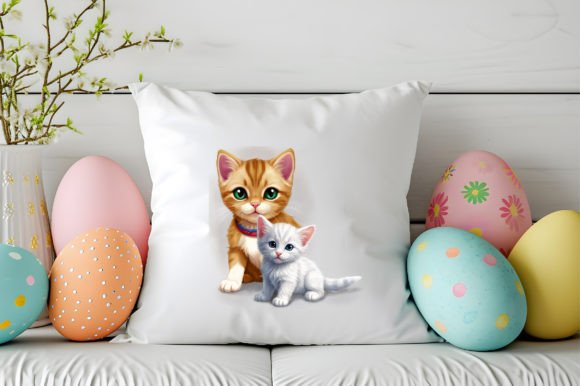
If you sell pet products, dog and cat PNG images can appear on packaging mockups, website product pages, or promotional graphics. A transparent PNG lets you place a cat next to a product image without competing backgrounds. It also makes it easy to reuse the same animal across multiple product variants. For efficiency, keep a consistent scale across your product PNGs so they align without manual resizing every time.
Quality Control and Long-Term Maintenance
An asset library requires periodic cleaning. Over time, you accumulate files with inconsistent naming, duplicate images, and varying quality. Schedule a review every few months. Delete low-resolution or artifact-heavy PNGs. Rename files to match your current naming convention. Remove images that no longer reflect your brand style or content direction. This practice keeps your library lean and your workflow fast.
Also consider licensing. If you download dog and cat PNG files from free stock sites, check the usage terms. Some require attribution, some restrict commercial use, and some limit how the image can be used in branded content. For professional work, it is safer to use images with clear commercial licenses or create your own PNGs from original photographs. Knowing your rights prevents legal headaches later and supports your E-E-A-T standing with search engines, especially if you publish content on a commercial site.
Useful Observations for Getting the Most Out of Dog and Cat PNG
- Build a backup system. If your library lives on a cloud drive, sync it locally as well. Losing your curated set of PNGs due to a sync error can halt a project in its tracks.
- Use preview thumbnails. File managers that show large icons make it easier to spot the right image. If your operating system does not generate previews for PNGs, install a codec pack or switch to a file browser that does.
- Batch convert if needed. If you receive a batch of JPEG images you need as PNGs, use a background removal tool to process them in bulk. This is faster than editing each file manually, and the results are consistent enough for most web uses.
- Layer order matters. When placing a dog or cat PNG in a multi-layer design, keep the PNG above background elements but below text and call-to-action buttons. This preserves readability and visual hierarchy.
- Think in sets. If you create content regularly, curate sets of three to five animal PNGs that work together visually. Having a set with similar lighting, angle, and style makes it easy to build a cohesive series of posts or pages.
Putting It All into Practice
The value of Dog and Cat PNG files ultimately comes down to how well they fit into your existing routines. If you are a solo creator, a small business owner, or a marketer juggling multiple projects, every minute saved on image preparation is a minute you can spend on strategy, copywriting, or client communication. A transparent PNG is not a magical solution, but it is a reliable tool that removes friction from the design process. By organizing your files, matching resolution to output, and building templates around your most-used assets, you turn a simple image format into a real workflow advantage. Start small. Clean up one folder. Name your next download with purpose. That single habit will ripple through every project where a dog or cat PNG is part of the plan.