Slim Book Cover Mockup PSD: A Practical Guide for Authors, Designers, and Self-Publishers
Presenting a book cover in a way that feels real and professional can make the difference between a project that gets overlooked and one that earns genuine interest. Whether you are an independent author preparing for a launch, a graphic designer building a portfolio, or a publisher seeking client approvals, the way you showcase your cover matters. A Slim Book Cover Mockup PSD offers a straightforward, high-quality solution for displaying cover designs in a realistic, print-ready context without the overhead of complex software or expensive photography. This article explores what this tool is, why it solves common presentation challenges, and how you can put it to practical use.
What Is a Slim Book Cover Mockup PSD?
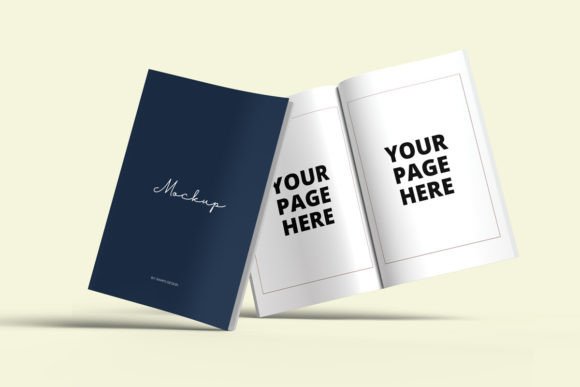
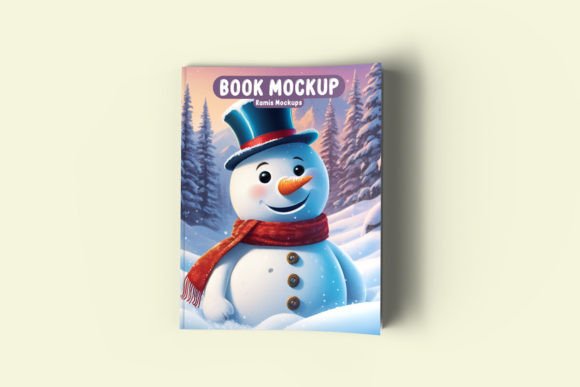
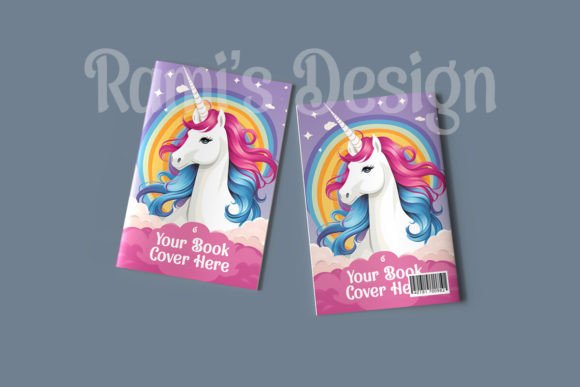
A Slim Book Cover Mockup PSD is a layered Photoshop template designed to display a book cover on a realistic, slender book model. Unlike standard mockups that may feature thick volumes or generic flat layouts, the slim variant focuses on a narrow spine and a sleek profile—ideal for paperback novels, chapbooks, poetry collections, short story compilations, and other publications with limited page counts. The PSD format allows you to insert your own cover artwork into a smart object layer, and the mockup automatically applies shadows, reflections, and perspective for a lifelike result.
Because the file is fully layered, you can often adjust background colors, lighting angles, and surface textures to match your brand or project mood. This makes the Slim Book Cover Mockup PSD a versatile asset for both digital and print presentations.
The Real Challenge: Making a Cover Feel Tangible
One of the hardest parts of book cover design is conveying how the finished product will look and feel in a reader's hands. Flat digital files, while necessary for production, lack depth and context. They fail to communicate the physical presence of the book—its thickness, the way light catches the cover, the subtle curve near the spine. This gap between digital design and physical reality can lead to misunderstandings during client reviews, weaker marketing materials, and a less compelling impression on potential readers.
Another common pain point is time. Setting up a professional photoshoot for a book mockup requires props, lighting equipment, and photography skills that many authors and designers do not have. Stock photo mockups often come with fixed angles and lighting that cannot be customized, leaving your cover looking generic or mismatched with your brand.
For self-published authors especially, every dollar and minute counts. Spending hours trying to create a convincing presentation from scratch is not a productive use of limited resources. You need a solution that is fast, flexible, and produces results that look like they came from a professional studio.
How a Slim Book Cover Mockup PSD Addresses These Needs
A well-made Slim Book Cover Mockup PSD directly addresses the gap between digital design and physical presentation. By placing your cover into a realistic, three-dimensional scene, you instantly give viewers a sense of the book's size, proportion, and tactile quality. The slim form factor is particularly useful for showcasing books that are not hefty tomes—it respects the actual dimensions of your publication and avoids misleading visual cues.
The smart object workflow is a key time-saver. Instead of manually adjusting perspective or shadows, you simply double-click the smart object layer, paste your cover design, and save. The mockup handles the rest, including realistic lighting highlights and soft shadow gradients that mimic a surface like a wooden desk or a fabric backdrop. This means you can produce multiple mockup variations in minutes, experimenting with different background colors or angles without redoing any manual work.
For designers, the layered PSD structure also allows deeper customization. You can adjust the intensity of reflections, change the background to a specific texture, or even isolate the book from its environment for use in composite images. This flexibility makes the Slim Book Cover Mockup PSD suitable for both quick client proofs and polished portfolio pieces.
Author Launch Materials
If you are an indie author preparing for a book launch, you need visuals for your website, social media, email newsletters, and press kits. A realistic mockup of your slim novel or poetry collection can be used as a featured image on your landing page, as part of a teaser graphic on Instagram, or as a visual in a pre-order announcement. The mockup gives potential readers a concrete image of what they will receive, increasing trust and purchase intent.
Client Presentations for Designers
Freelance designers often present multiple cover concepts to clients. Showing flat files side by side can be confusing and underwhelming. By placing each concept into the same Slim Book Cover Mockup PSD, you create a consistent, professional frame of reference. Clients can see how the cover will look as an actual object, which helps them make more confident decisions. You can also export mockup versions showing the book from different angles—front facing, slight tilt, or isometric—to give a complete view.
Portfolio Building
For designers building a portfolio, every project needs to look its best. A Slim Book Cover Mockup PSD elevates your presentation dramatically compared to a flat PNG. It shows that you understand how design translates to physical media, and it demonstrates your attention to detail. Including mockups in your Behance, Dribbble, or personal portfolio site can set you apart from other designers who only upload flat files.
Print-on-Demand and Small Press Publishers
Small publishers and print-on-demand services need mockups for product listings, catalogs, and promotional materials. A slim mockup is especially appropriate for the types of books these presses often produce—short runs, limited editions, and niche genres. Using a consistent mockup style across your catalog also builds brand recognition and a cohesive visual identity.
Recommendations for Choosing and Using a Slim Book Cover Mockup PSD
Not all mockups are created equal. When selecting a Slim Book Cover Mockup PSD, look for these qualities:
- High resolution: Aim for at least 3000 pixels on the longest side to ensure sharp results for both web and print use.
- Organized layers: A well-structured PSD with named groups and smart objects saves time and reduces confusion.
- Realistic shadows and lighting: The mockup should include natural-looking drop shadows and highlight gradients that respond to different cover colors.
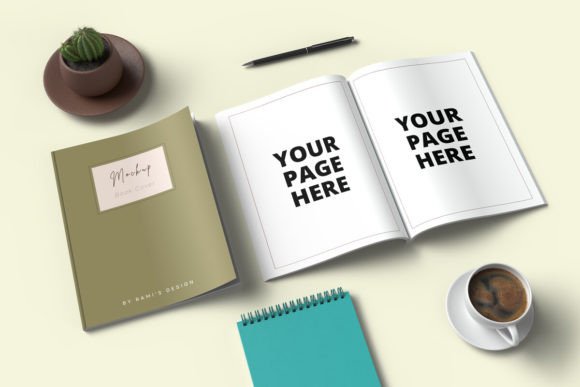
- Multiple angles or scenes: Some mockup sets include several viewpoints (front view, three-quarter view, open book, etc.), giving you more versatility.
- Clear usage rights: Confirm that the license allows commercial use, especially if you intend to use the mockup in client work or product listings.
When using the mockup, pay attention to the cover file you insert. For best results, export your cover artwork at full resolution with the bleed area included if required. Make sure the spine width in your design matches the slim profile of the mockup—this is particularly important if your book has a spine text element. The mockup will look most convincing when the cover dimensions align with the template.
Consider the context where the mockup will appear. For a sleek, modern brand, use a minimalist background with soft lighting. For a more artistic or literary feel, a textured surface like linen or wood grain can add warmth. Many PSD mockups allow you to change the background color or surface pattern directly, so experiment with a few options before settling on a final image.
How Different Users Approach the Same Tool
A Slim Book Cover Mockup PSD is versatile enough to serve different workflows and skill levels.
Beginner users—such as first-time self-publishers—may appreciate mockups that come with clear instructions and minimal layers. For them, the tool is about getting a professional-looking image quickly without learning advanced Photoshop techniques. They will benefit most from mockups that include a simple smart object replacement and perhaps a built-in background preset.
Intermediate users—like graphic designers or experienced indie authors—will likely explore the PSD's layer structure to fine-tune shadows, adjust reflection opacity, or swap the background for a custom image. They may also use the mockup as a base for creating series of promotional images, changing the cover design while keeping the scene consistent.
Advanced users—including art directors and production designers—may treat the Slim Book Cover Mockup PSD as a starting point for more complex compositions. They might combine multiple mockup angles into a single banner, add typography overlays, or integrate the mockup into a larger lifestyle scene. Because the PSD is layered and customizable, it supports this kind of creative extension without falling apart.
Outcomes You Can Expect
Using a quality Slim Book Cover Mockup PSD consistently leads to several practical outcomes:
- Faster client approvals because the cover is shown in a realistic, easy-to-evaluate format.
- Higher engagement on social media posts and marketing emails, as three-dimensional mockups tend to attract more clicks than flat images.
- A more professional brand image across all touchpoints—website, portfolio, and promotional materials.
- Reduced time spent on presentation, freeing you to focus on design, writing, or business development.
The investment in a good mockup—whether free or paid—pays for itself quickly through the time it saves and the quality it adds to your output.
Final Considerations for Getting the Most Out of Your Mockup
To maximize the value of your Slim Book Cover Mockup PSD, keep a few best practices in mind. First, always work from a copy of the original PSD file so you can revert to the template if needed. Second, save your mockup exports as high-quality PNG or JPEG files for web use, and consider TIFF or PSD formats if you need further editing later. Third, maintain a consistent mockup style across a series of books or projects—this builds visual continuity that audiences recognize and trust.
If you are new to Photoshop, take a few minutes to learn the basics of smart objects and layer visibility. Most mockup creators include a help file or tutorial link, and these resources can save you frustration. Even a little familiarity with layers will let you customize the mockup in ways that make your cover stand out.
Ultimately, a Slim Book Cover Mockup PSD is not just a decorative asset—it is a practical tool that solves a real problem: how to present a slim book cover in its best possible light. Whether you are launching your first novel, pitching a design concept, or building a professional portfolio, this simple resource helps you communicate the physical reality of your work with clarity and style.